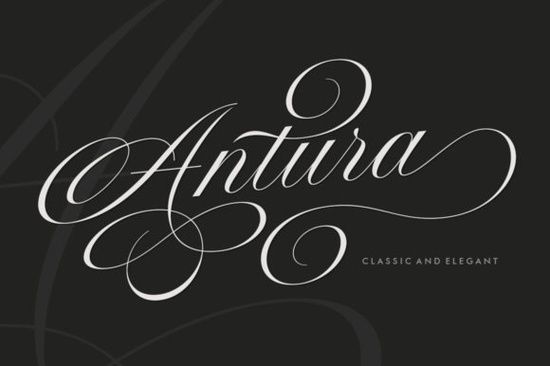
If you are a designer, crafter, print-on-demand seller, small business owner, or creative hobbyist looking for a typeface that balances vintage elegance with everyday usability, Antura Font delivers exactly that. Drawing inspiration from classic copperplate engraving, this calligraphy script removes the stiff formality often found in older decorative fonts while keeping graceful stroke modulation and fluid connections. The result is a polished, feminine typeface that reads cleanly even at smaller sizes, making it practical for both headline work and body text styling. You get stylistic flexibility without needing advanced calligraphy training or complex layout tools.
What actually separates this script from standard decorative typefaces?
Most ornamental families sacrifice legibility for flourish, but this design maintains a careful balance between decoration and clarity. The letterforms include thoughtfully planned alternative characters that let you swap default shapes depending on your spacing needs. You will find smooth ligatures connecting consecutive letters, a trait that prevents awkward gaps when writing full phrases or long quotes. The stroke weight shifts mimic traditional metal nib pens, giving each glyph a soft yet confident rhythm. Because the font utilizes Unicode Private Use Area encoding, all the extra swashes and alternate glyphs sit inside your regular operating system libraries. That eliminates the need for third-party plugins or paid typographic utilities just to access the complete character set.
Which project types benefit most from pairing this style?
This typeface shines when you need to communicate refined craftsmanship, warmth, or approachable luxury. Creators typically deploy it across several core categories:
- Event stationery – Save-the-dates, master invites, and seating charts gain instant sophistication when anchored by simpler sans-serif accents.
- F&B menus and café boards – The flowing script directs attention across dish names while maintaining clear visual hierarchy beside descriptive copy.
- Retail packaging and cosmetic labels – Skincare jars, boutique gift boxes, and artisan products benefit from the gentle, elegant curves the letters provide.
- Editorial and book covers – Novel titles or magazine headers look balanced when heavy serifs are swapped for cleaner terminal strokes that scan quickly on digital storefronts.
You will also notice how easily it blends into niche aesthetic directions. For instance, creators building bridal collections often pair it with softer letterforms to achieve cohesive bridal party prints that feel curated rather than templated. When shifting toward romantic layouts, swapping to a slightly more playful option like romantic typography helps break visual monotony while preserving the overall mood. Seasonal campaigns follow the same logic; when you eventually prepare holiday content, you might prefer a cozier set built specifically for seasonal greeting cards. Businesses focused on light, botanical themes frequently reach for delicate floral branding assets to maintain that airy composition alongside heavier script weights.
How do you install and use it without getting stuck in technical hurdles?
Managing hidden characters has historically been one of the biggest pain points with vintage-inspired fonts. Since this family is fully encoded in the Unicode Private Use Area block, your operating system handles the alternates natively. On Windows, open the Character Map utility, select the font from the drop-down menu, highlight any special swash or alternate character, and copy it directly into your document. Mac users enjoy the same capability inside Font Book, which previews glyphs and allows drag-and-drop placement onto your canvas. Mainstream design suites including Adobe Illustrator, InDesign, Affinity Designer, and Canva pull the font correctly once installed. Just remember to pair it with straightforward geometric or humanist sans faces so the busy script does not compete with your informational copy.
If you want to preview additional variations from the same creator or browse closely aligned styles before committing to a purchase, checking out Antura Font provides a quick overview of available weights and sample packs. Some workflows also benefit from having linear alternatives on hand, particularly when designing continuous line artwork where continuous line art styles help maintain an unbroken visual flow.
Quick setup checklist for smoother workflow
- Install the provided OpenType or TrueType files through your system font manager.
- Adjust line height to approximately 1.35x your base font size to prevent descender collisions.
- Apply 60–100 units of uppercase tracking for short headlines to create consistent breathing space.
- Use your OS glyph panel to pull specific swashes rather than manually tracing vector paths.
- Export print-ready files in CMYK at 300 ppi, reserving RGB only for digital mockups.
Keep this script anchored by clean supporting typefaces, reserve the heaviest flourishes for focal points only, and test your compositions at actual print dimensions early. Minor adjustments to baseline alignment and x-height contrast usually resolve the most common spacing problems before you reach the final export stage.
Download Now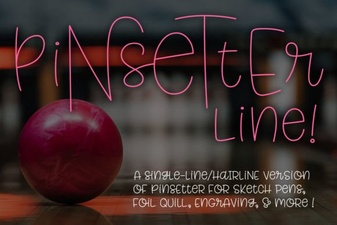 Single Line Fonts for Creative Design & Typography
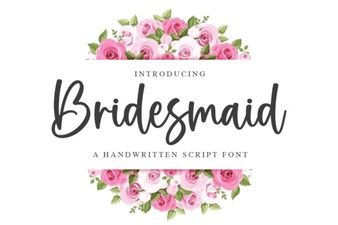 Bridesmaid Font Ideas for Wedding Projects
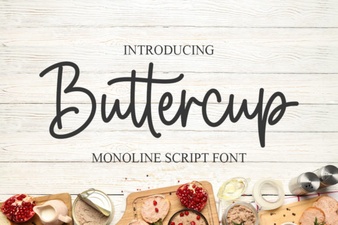 Discover the Charm of Buttercup Font for Design
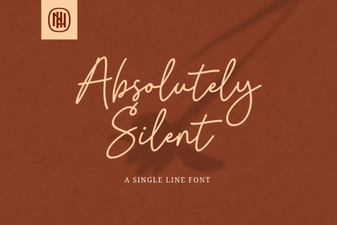 Choosing Fonts for Quiet, Minimalist Design
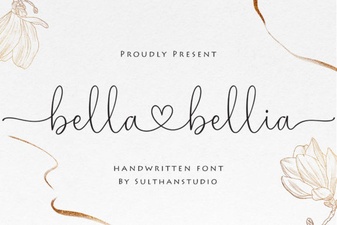 Bella Bellia Font: Elegant Design for Creative Projects
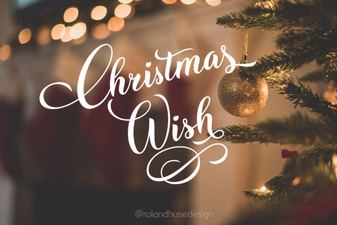 Christmas Fonts for Your Holiday Card Wishes