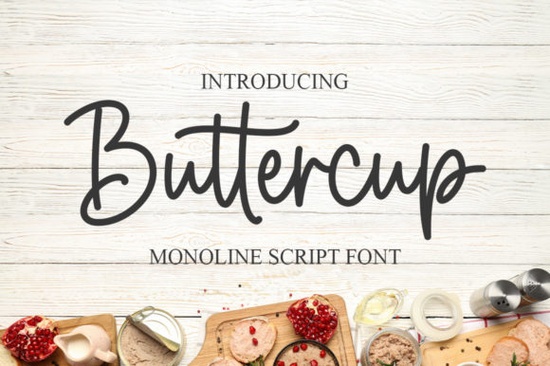
If you need a typeface that feels personal without sacrificing readability, Buttercup Font delivers exactly that. This dainty, flowing handwritten style adds a sweet, joyful touch to wedding invitations, greeting cards, and small business branding. Instead of rigid letterforms, you get gentle curves and natural stroke variations that mimic real penmanship. For crafters, print-on-demand sellers, and boutique designers, that handmade quality helps projects feel intentional.
What makes this style work so well for invitations and keepsakes?
Handwritten scripts succeed when they balance elegance with everyday warmth. Buttercup leans into soft ascenders, open counters, and relaxed spacing, keeping longer phrases legible even at smaller sizes. When laying out a wedding suite or birthday card, those details matter. The font pairs smoothly with textured paper, watercolor elements, and simple line illustrations. If you sell digital templates or run a stationery shop, keeping a reliable romantic script in your library saves time.
You will also notice how the characters connect without feeling cramped. That flowing rhythm makes it a strong choice for:
- Wedding and bridal shower invitations
- Hand-lettered quote prints and wall art
- Product labels for candles, soaps, and boutique packaging
- Social media graphics that need a personal, approachable vibe
How do you pair it with other typefaces without creating clutter?
Script fonts shine brightest when they have room to breathe. Let the handwritten style handle headlines or short phrases, while a clean sans-serif carries the body text. If you are browsing through this particular script collection, you will see how consistent stroke weight maintains visual harmony across different layout sizes.
When building a typography system for a branding project, mix complementary moods. You might explore elegant bridesmaid-themed lettering for formal event suites, or switch to clean single-line alternatives when you need crisp monograms for embroidery. If your client prefers something delicate, softer romantic scripts provide a gentle contrast, while whimsical handwritten styles work nicely for party goods. Limit yourself to two or three fonts per design and keep hierarchy clear.
What should you check before using a font for commercial products?
Downloading a typeface is only the first step. If you plan to sell physical items, digital templates, or print-on-demand merchandise, verify the license details before launching. Most marketplace fonts include a desktop license for small business use, but some require an extended upgrade for logos or large-scale distribution. Always read the included documentation and keep your purchase receipt.
From a technical standpoint, ensure the font installs correctly and appears in your design software. Test sample phrases at different sizes, check kerning on capital-to-lowercase transitions, and confirm special characters render properly. If you are cutting vinyl or preparing files for a Cricut machine, convert your text to outlines first. That prevents missing glyph errors and ensures your cutting software reads the shapes accurately.
Where can you find reliable font resources and licensing details?
Many creators source typefaces from established marketplaces that provide clear licensing terms and preview tools. You can browse the official listing for Buttercup Font to check current file formats, included glyphs, and commercial usage rights. Direct access to the creator’s notes often clears up questions about alternates or software compatibility.
Quick setup checklist before you start designing
- Install the font files and restart your design program to avoid caching issues
- Test uppercase and lowercase combinations to check natural spacing
- Pair with a simple, highly readable body font for contrast
- Verify the license covers your intended use (personal, small business, or POD)
- Convert text to outlines before sending files to printers or cutting machines
- Save a branded style sheet with font names, sizes, and color codes for future projects
Start with a small mockup, adjust your tracking if needed, and let the handwritten rhythm do the heavy lifting. When you keep the layout clean, a dainty script like this adds warmth without overwhelming the design. Save your test file as a template so you can reuse the spacing and pairing settings on your next order.
Learn More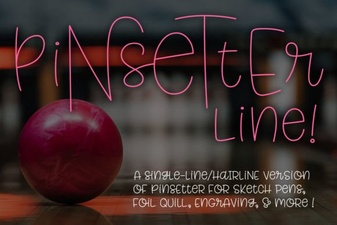 Single Line Fonts for Creative Design & Typography
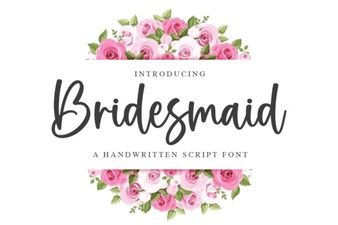 Bridesmaid Font Ideas for Wedding Projects
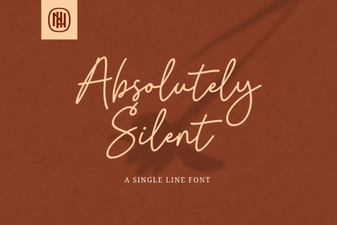 Choosing Fonts for Quiet, Minimalist Design
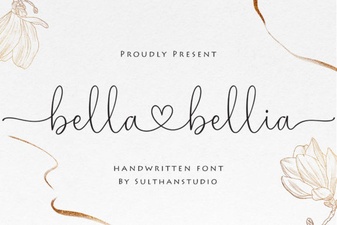 Bella Bellia Font: Elegant Design for Creative Projects
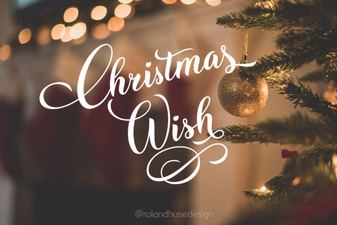 Christmas Fonts for Your Holiday Card Wishes
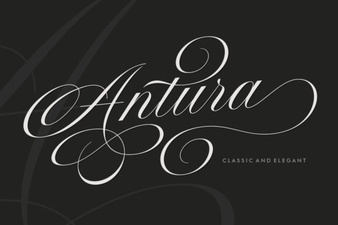 Antura Font: a Creative Typography Tool